


Printable version opens in a new browser window
Three patron workstations in the Hoffman Research Library are configured to access the Irish Ancestors website for ancestral research. This allows patrons & volunteers to search the paid site at no cost.
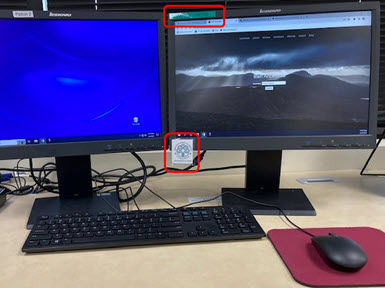
The photo at right shows how to identify the correct workstation: a green tape label on the top of the monitor reading “Patron # - Irish DB” as well as an IGSI logo attached to the bottom of each monitor.
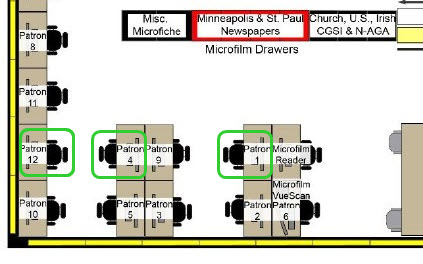
The workstation loactions are highlighted in the Library diagram at right with green squares: Patron 1, 9, and 4.
These three workstations are configured in this way to help with Irish research. When the Chrome browser is open the Library home page should appear as is normal.
In addition – on the three “Irish” workstations – there are four tabs at the top of the screen which open automatically when Chrome starts:
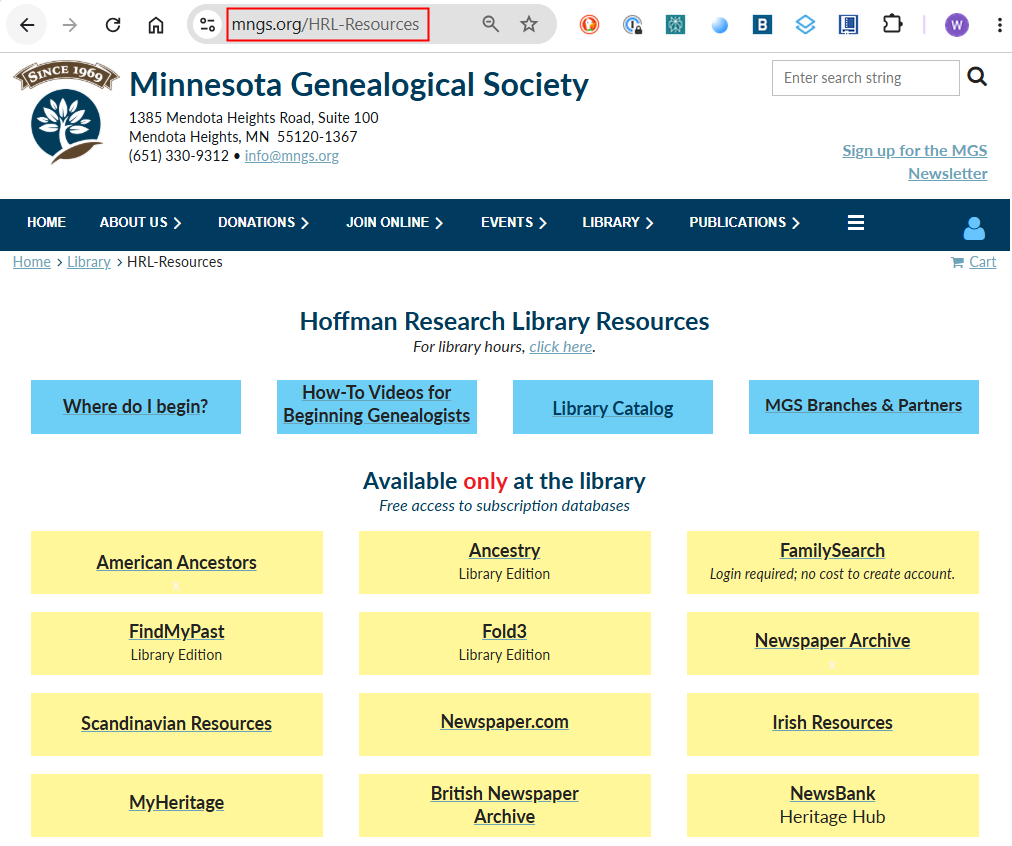
In addition – on the three “Irish” workstations – there are four tabs at the top of the screen which open automatically when Chrome starts:
- Library home
- Irish Ancestors
- IGSI homepage
- MGS homepage
To access the IrishAncestors website, click on the appropriate tab at the top of the page.
For RESEARCHERS
If you would like to know how best to use John Grenham’s IrishAncestors website and what information you can find and search, check one of these videos:
John Grenham’s content:
- Irish Roots (John's blog)..................... https://www.johngrenham.com/blog/
- Website video tutorial (20 min) .......... https://www.youtube.com/watch?v=dVLZQdxpGfs
- John's YouTube Channel.....................https://www.youtube.com/@johngrenham2008/video
- BespokeGENEALOGY article............. https://bespokegenealogy.com/john-grenham/
For VOLUNTEERS
The four tabs should make navigation between the sites very easy. By clicking on each tab, you can directly open each of those four sites. Also, there are bookmarks for each site in the Bookmark Bar in case one of the tabs gets closed by a patron.
If Chrome is changed by the use of other patrons, simply close it and restart the browser to restore this default setup.
Troubleshooting
With ongoing patron use, each workstation may change from the configuration described above. If you encounter problems using Irish Ancestors, here are strategies to try:
Close the Google Chrome browser by clicking the X in the upper right corner of the window. Wait a few seconds, then restart Chrome by clicking this icon at the bottom of the screen. 
Upon restarting, the Chrome windows should appear as described above. If the patron is concerned that a restart of Chrome would lose some of their research efforts, ask them to retry the Irish Ancestors search on a different workstation, if available.